



RetroZino Login
Access to the player account starts with the RetroZino Login button in the upper right corner of the homepage. The same form opens on desktop and mobile browsers, so one set of credentials covers every device. Registration for new visitors begins on this page as well and leads straight into the RetroZino Casino dashboard.



RetroZino Registration
Creating a profile at Retro Zino unlocks the complete feature set:
- Every slot and live table becomes available for real-money play.
- Deposits and payouts run through a personal wallet inside the dashboard.
- Bonus offers appear in the account together with their wagering terms.
- Live chat gives a direct line to the Support Team, with multilingual support available around the clock.
The registration form asks for a small set of details, and each entry has a clear role. Accuracy at this stage saves time later because the compliance team compares these entries with the submitted documents during verification.
| Registration Detail | Role in the Account |
| Email address | Works as the username and receives the activation link |
| Password | A combination created by the player guards access to the profile |
| Date of birth | Players aged 18 and over pass the eligibility check through this entry |
Creating a RetroZino Account
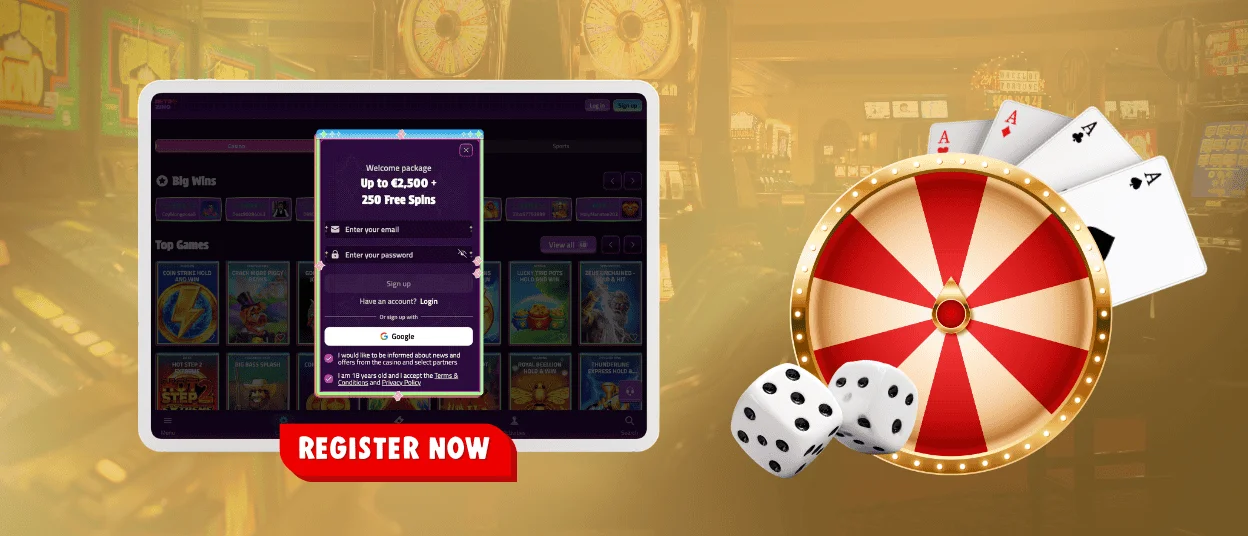
Registration opens from the Sign Up button next to the login field. The form requests the details listed above, and submitting it sends a confirmation email within seconds. Opening the link inside that message activates the profile, and the RetroZino Casino dashboard loads immediately afterward.
A first deposit becomes possible right away since the wallet activates together with the account. Smartphone users complete the same steps in a mobile browser, and the layout adjusts to the smaller screen automatically, so a new Retro Zino account is ready within a few minutes on any device. Progress saves automatically when the page reloads during the process, and the form picks up right where it stopped.
Logging in to RetroZino Casino
The whole sign-in takes less than a minute, and the entry button stays visible from any page of the site.
- Press the RetroZino Login button in the site header.
- The first field takes the registered email address.
- Enter the account password below it.
- One tap on the confirmation button opens the dashboard.
Every RetroZino login from an unrecognized device can trigger an extra verification code, once two-factor authentication is turned on in the Security Settings menu. Google Authenticator delivers this code, which keeps the account protected on shared computers. Browsers with saved sessions restore access even faster, and a manual logout option in the settings menu closes everything down on shared devices.
Inside, the wallet balance sits next to the deposit and withdrawal buttons. A separate history tab records past sessions together with every transaction, and active bonuses display their current wagering progress on the same screen, giving each Retro Zino player a full view at a glance.
Account Security Settings
Several layers protect every RetroZino Casino account, and players control most of them directly from the settings panel.
| Security Feature | How It Works |
| TLS encryption | Data travels between the browser and our servers in encoded form |
| Two-factor authentication | A one-off code confirms each new sign-in once the feature is active |
| Identity verification | The verification process matches account details to official documents before the first withdrawal |
| Responsible gaming limits | Deposit caps and session reminders keep activity within personal boundaries |
Password changes happen in the same panel, and a session log shows recent RetroZino login activity for review. Checking that list from time to time helps players spot anything unusual early and contact the Support Team through live chat straight away. A strong password mixes letters with numbers, and updating it after any suspicious activity notice keeps the profile in safe hands.
FAQ
Which documents are required to verify a RetroZino account, and what is the typical review timeframe?
A government-issued ID confirms identity and age. Proof of address comes next, in the form of a recent utility bill or bank statement, and a photo of the payment method completes the set. The compliance team finishes the review within 24–48 hours, and the account status updates as soon as approval comes through. Files upload directly in the account section, and a notification confirms receipt right away.
How can I set up two-factor authentication on my RetroZino account?
The option sits in the security tab of the account settings. Switching it on links the Retro Zino profile to a one-off code that arrives at each new sign-in, and the same menu allows deactivation later on.
Is social login supported on RetroZino, and what other sign-in options are available?
Email and password form the single sign-in method at RetroZino Casino. Credentials created during registration work identically on desktop and mobile, which keeps account access consistent across devices. Password recovery stays available from the same screen whenever the combination slips from memory.


